Your AI Coding Agent.
Built to Build.

Download for Windows

Inside CODVIAN

Where the work happens.

Pick a feature — the screen changes right here.
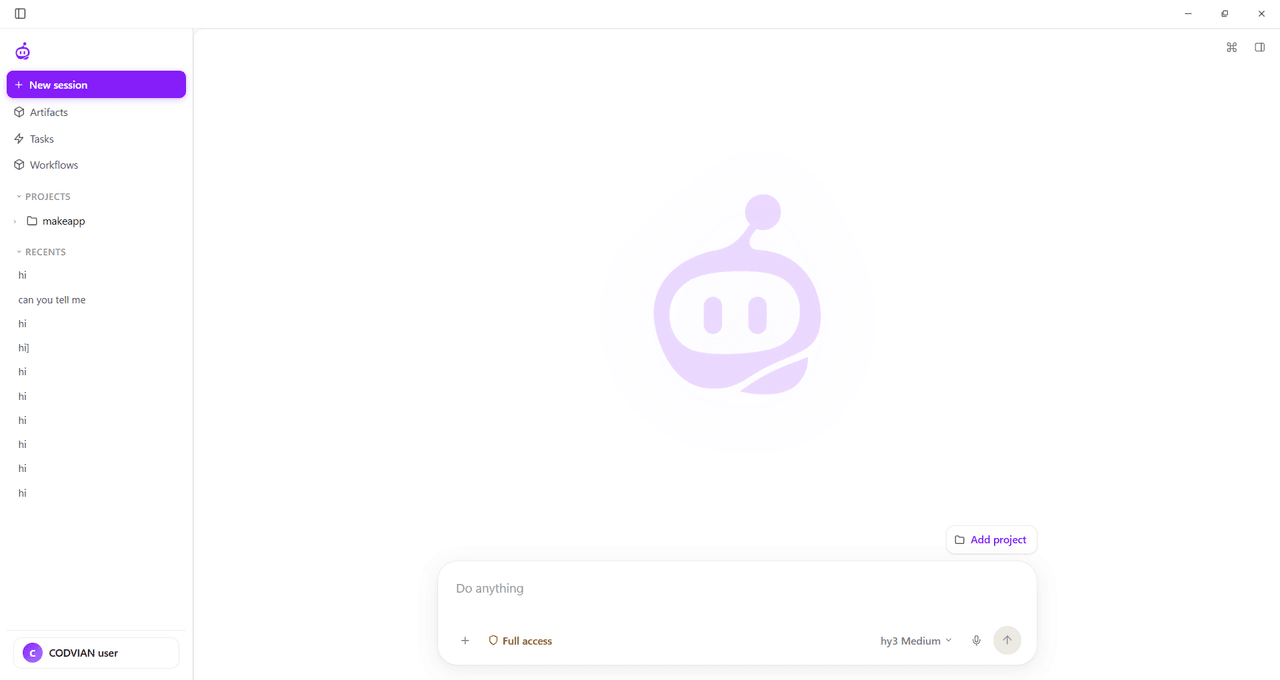
CODVIAN — Dashboard
CODVIAN dashboard
Sessions, projects and the 'Do anything' prompt — all in one calm workspace.

More than code generation

It doesn't just write code.
It finishes the job.

01

Understand

Reads your project context.

02

Plan

Breaks a task into actionable steps.

03

Build

Works with files, terminal and development tools.

04

Verify

Checks the result through real workflows.

Allow this tool to run?
fs.write(path: "src/app/page.tsx")
Approval required

This will overwrite the existing file with new content.

Permissions

Your agent.
Your boundaries.

Autonomy with a leash.
CODVIAN works bold — you stay in charge.

Models & Providers

Use the models that fit your workflow.

Connect supported AI providers, configure models, and choose the setup that works for your project.

GPT
Claude
Gemini
Llama
Large
DR1
𝕏Grok
CCommand
QAlibaba
Phi
Nova
Sonar
NIM
Hub
TAI
FFast
CWSE
Local
Router
∞Always expanding

FAQs

Everything you need to know about CODVIAN.

Still curious? Read the docs — full answers live there.

CODVIAN is an AI coding agent for Windows that reads your project, plans the work and builds it — files, terminal and all — while you stay in control.

No — it's an agent, not an editor. It works alongside your IDE, handling tasks end-to-end instead of just suggesting lines.

Windows 10 and 11 (64-bit) is supported today. More platforms are on the roadmap.

Yes — point it at any folder on your machine. Everything stays local and scoped to that workspace.

Absolutely. Bring your own keys from OpenAI, Anthropic, Gemini and more — you pick the model that fits.

Hit Download for Windows at the top of this page — the installer walks you through the rest.